Local Line has always been where your orders come together: your online storefront, CSA subscriptions, wholesale accounts, and vendor products, all in one place. When it's time to fulfill, your pick and pack exports turn those orders into the lists your crew works from on pack day.
Now those lists work right alongside you.
Live Pick & Pack Lists take the static exports you already use and turn them into interactive, customizable lists you work in as you pick and pack. Build a template once, generate a run for any fulfillment date range, and your list stays current right up to your order deadline. Late orders appear. Swaps show up. Your whole team sees the same progress as items get checked off and boxes get packed.
Pack day now runs on the same live data as every other part of your operation.
How Live Pick & Pack Lists Work
Live Pick & Pack Lists are built around two components: templates and runs.
Templates set up how your list works
A template is your reusable setup. It controls which orders appear and how the information is displayed, including columns, column order, sorting, grouping, and any extra detail your team needs. You build it once and use it every pack day.
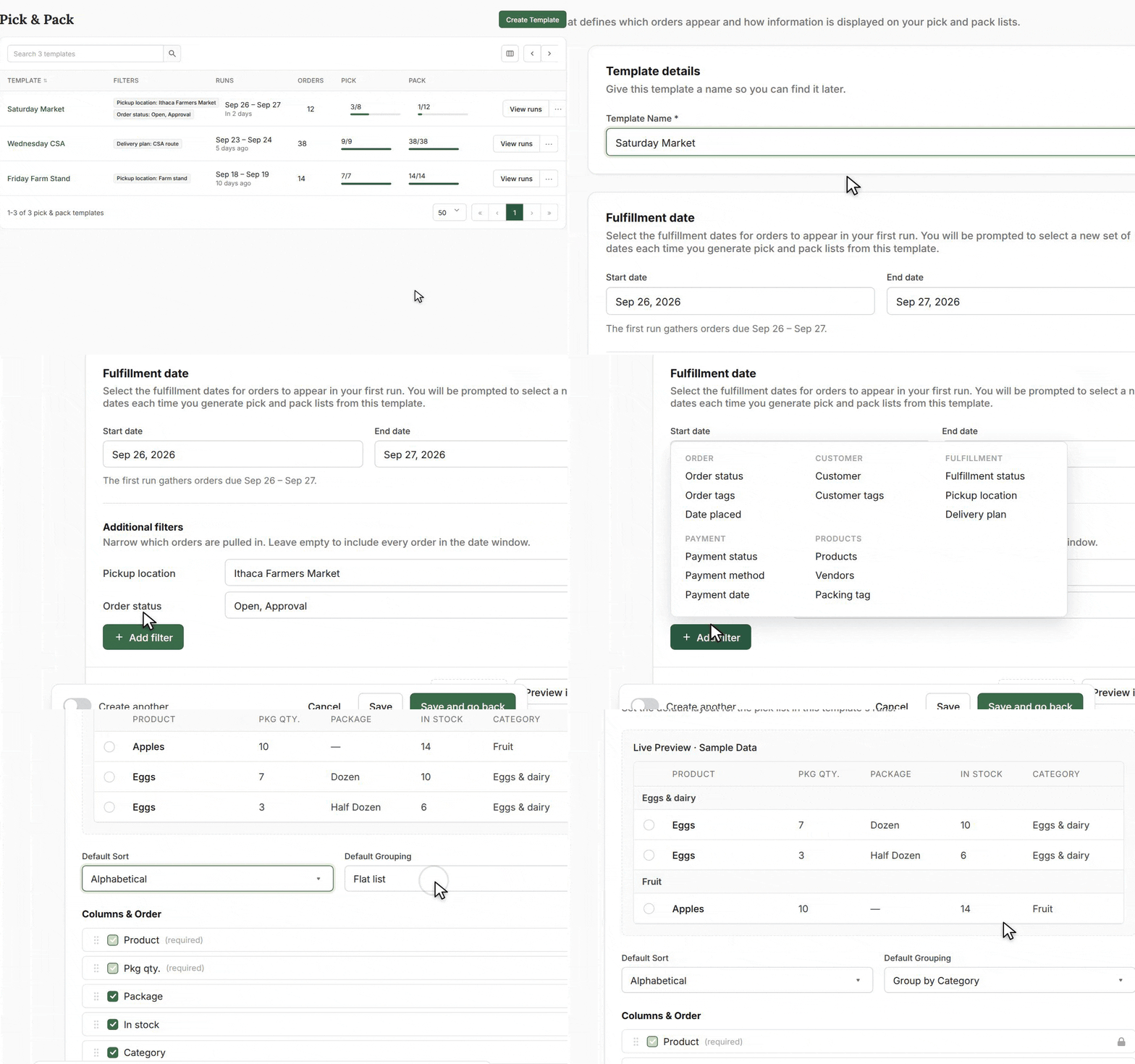
Save as many templates as you need. Most operations end up with a few, such as one for the field crew, one for wholesale, and one for delivery days.
Runs are the list your team works in
A run is the actual list. Within a template, you generate a run for a specific fulfillment date range: this Wednesday's CSA boxes, this week's wholesale deliveries, or Saturday's market pre-orders.
Each run stays current right up to your order deadline, so late orders, cancellations, and changes appear as they happen. If anything changes after the deadline, the list flags it so you can catch it before the box goes out.
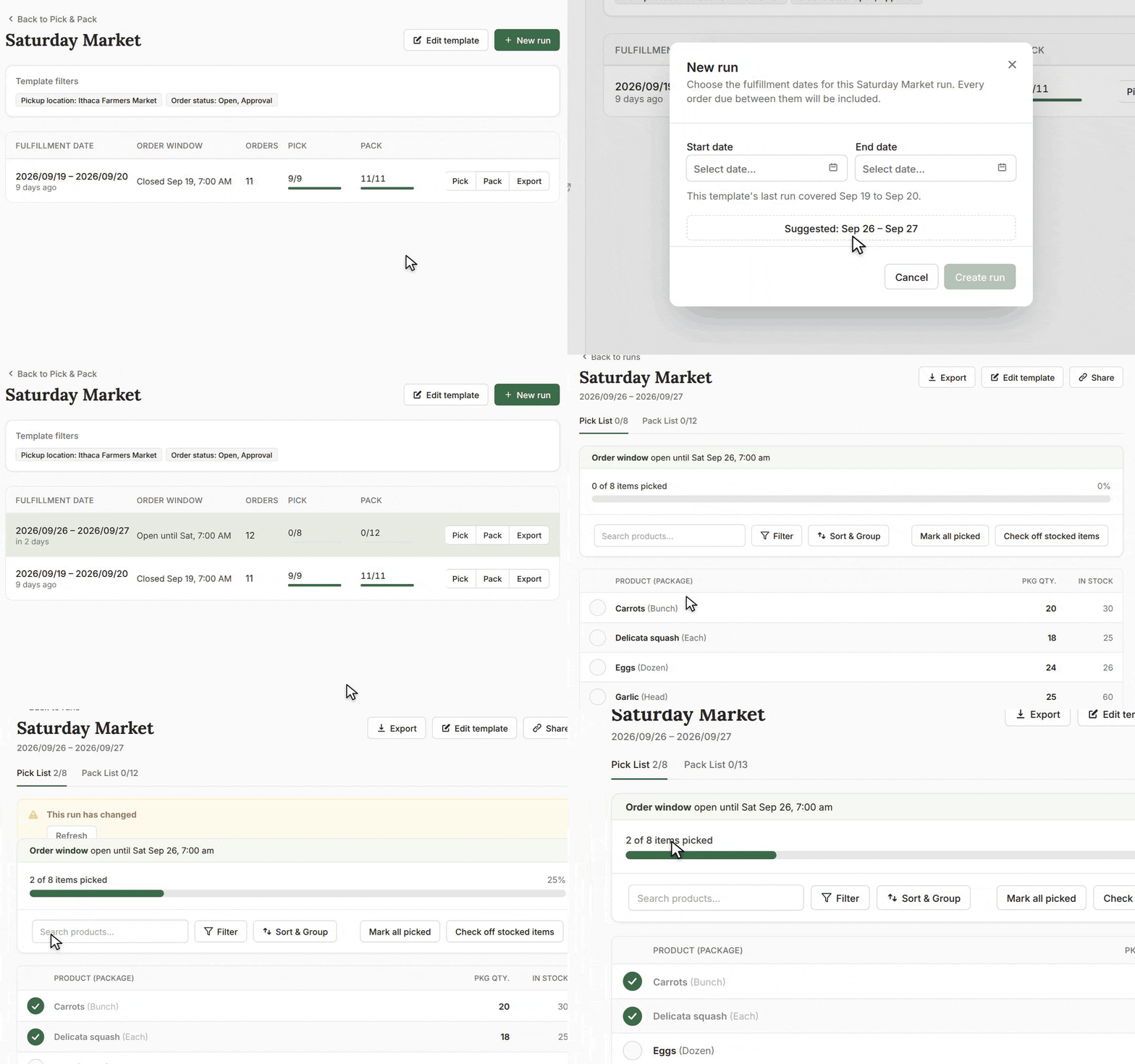
Your team works directly in the run. Check items off as you pick, mark customers packed as you pack, and use quick actions to approve orders, add a note, or jump to the order screen. Everyone on your account with a Local Line login can open the same list, so your pack lead, field crew, and office staff all see the same status.
Pick and Pack Lists
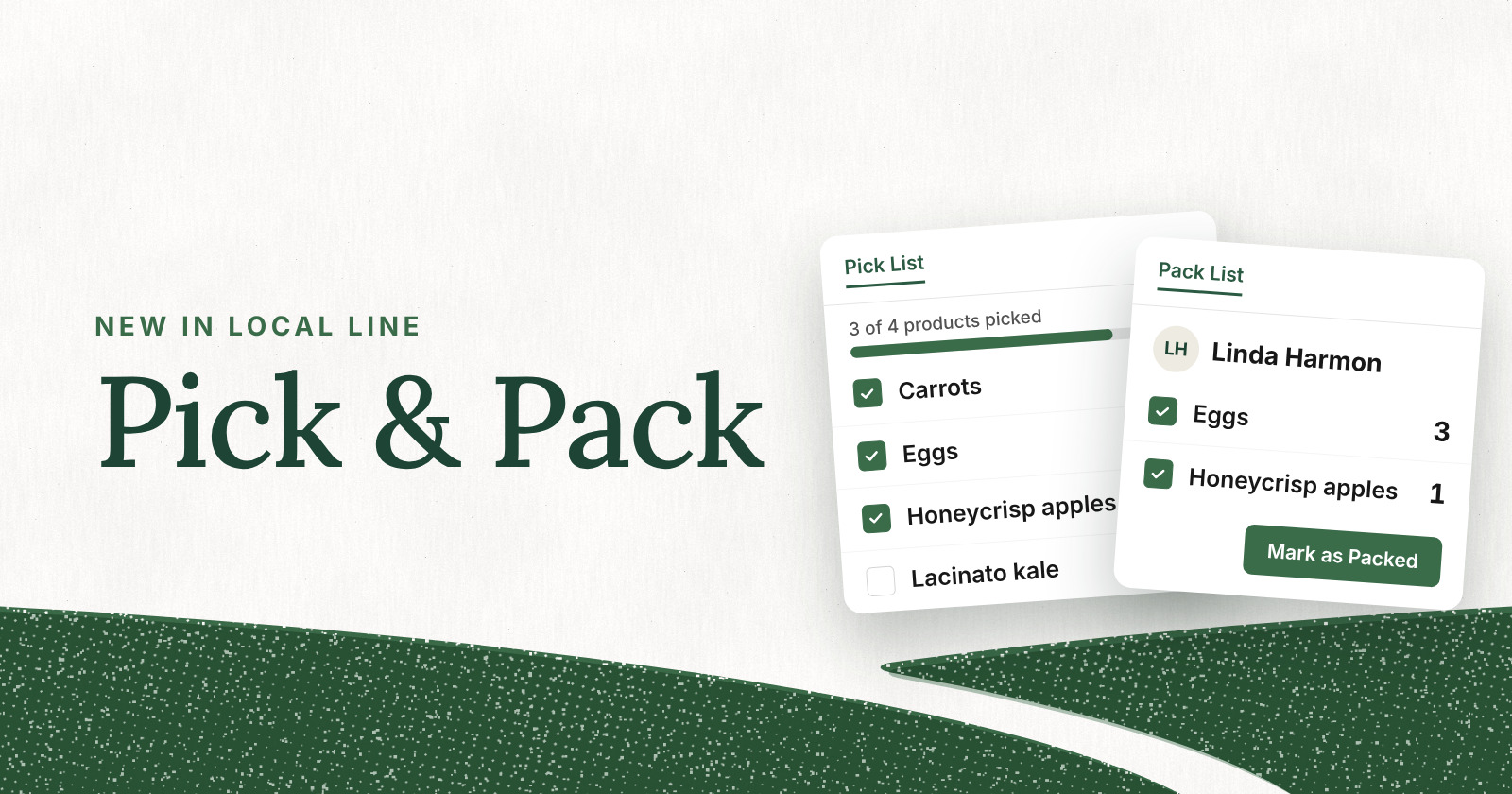
- Pick lists are organized by product. They show what needs to be harvested or pulled, in total. Add the columns that match how you work, such as category, vendor, unit weight, or packing tag.
- Pack lists are organized by customer. They show exactly what goes in each box, along with the customer details your packers need.
Exports for Whenever You Want Them
Does your team still work from exports? Need pick and packing slips? From any run, you can still export to CSV or generate pick and packing slips as PDFs. Every printout is stamped with the dates it covers and the time it was printed, so everyone knows exactly which sheet they're holding.
Ways to Use Live Pick & Pack Lists
Every business fulfills a little differently, so most teams save a template for each part of their week and generate a run whenever that fulfillment day comes around. A few setups to start with:
- CSA boxes and add-ons. Pull every share for your pickup or delivery day into one run, along with the add-ons members tacked on. Member swaps flow straight into your pack list, including ones made after you've started packing.
- Market pre-orders. Generate a run for Saturday's pre-orders so every bag is picked and packed before you load the truck. Orders that come in before the cutoff are already on the list.
- Online store orders. Keep up with a steady stream of direct-to-consumer orders. Every order that lands before the cutoff is in your run, ready to pick.
- Wholesale orders. Build a template for your restaurant, grocer, and institutional accounts, with the columns and sorting your crew needs to pull and load each buyer's order.
- Aggregated orders for your food hub. Add a vendor column to your pick list to see what each farm needs to bring in, then use the pack list to build every customer's order. Run separate templates for each channel, route, or farm, all from the same order data.
However your week is set up, there's a list for every pack day in it.
Setting Up Live Pick & Pack Lists
Live Pick & Pack Lists are free and included in all Local Line plans. Setup takes just a few minutes:
- Go to Orders > Pick & Pack inside Local Line.
- Create your first template. Choose which orders it pulls and how the list is displayed.
- Generate a run for your next fulfillment date range. Your pick list and pack list are ready for your team.
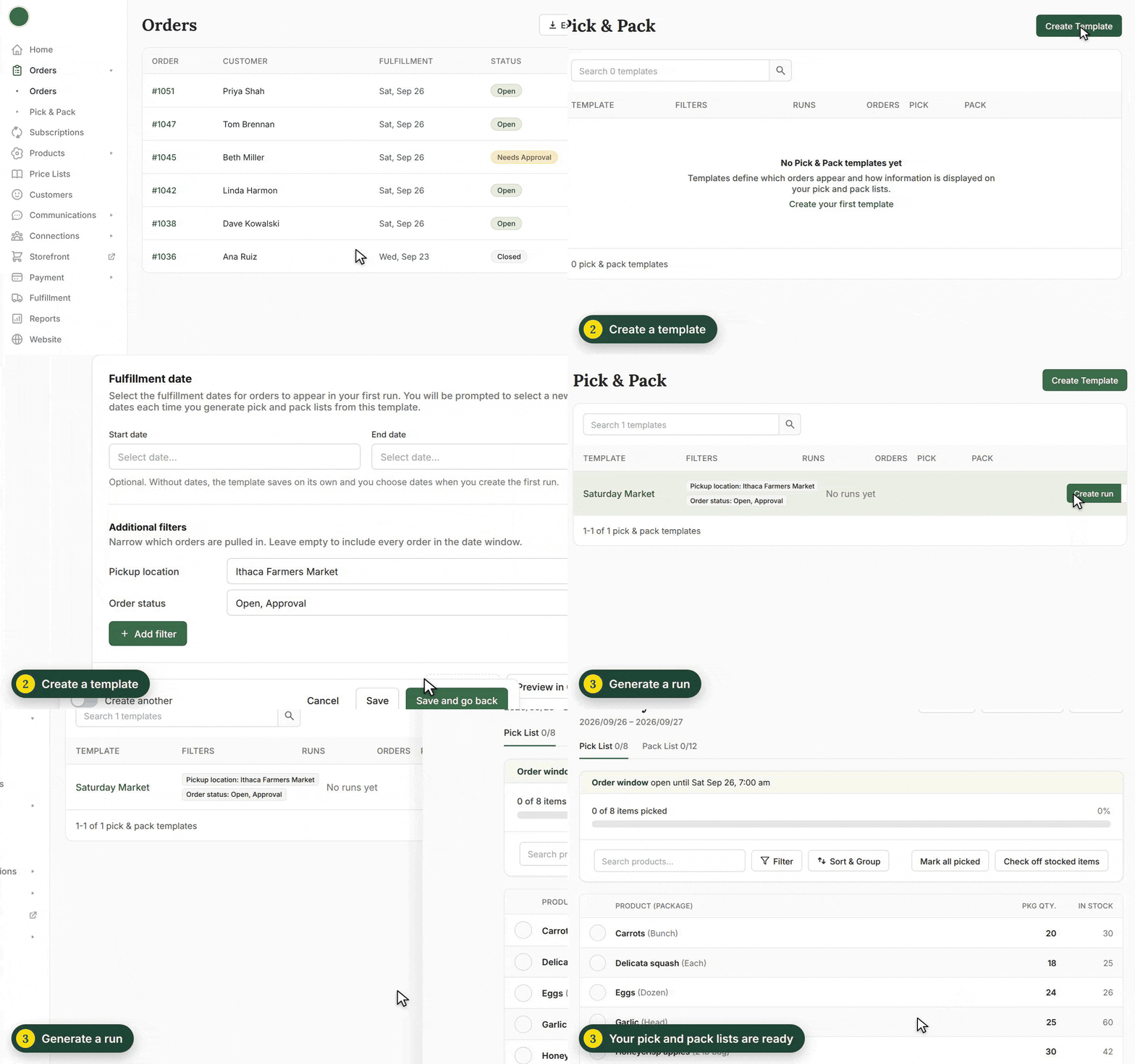
From there, your crew works the list as they go, and every new order and change before the deadline shows up on its own.
Built for How Pack Day Actually Works
Local Line has always been built to handle the full complexity of running a farm or food hub, from CSA subscriptions and wholesale accounts to multi-vendor coordination and delivery routes. Live Pick & Pack Lists bring that same connected system to fulfillment day.
Whether your crew is harvesting at dawn, packing CSA boxes in the barn, or loading the wholesale truck, everyone is working from one current list. Live Pick & Pack Lists are designed to give that time back: fewer surprises, fewer mis-packed boxes, and a calmer pack day.
Live Pick & Pack Lists are live now inside Local Line.
Already a customer? Log into your account and head to Orders > Pick & Pack to build your first template.
Not yet on Local Line? Book a demo to see how Live Pick & Pack Lists fit your fulfillment workflow.