New free tool: Scan and grade your farm's website.
Try Now→
Build the perfect box for your farm

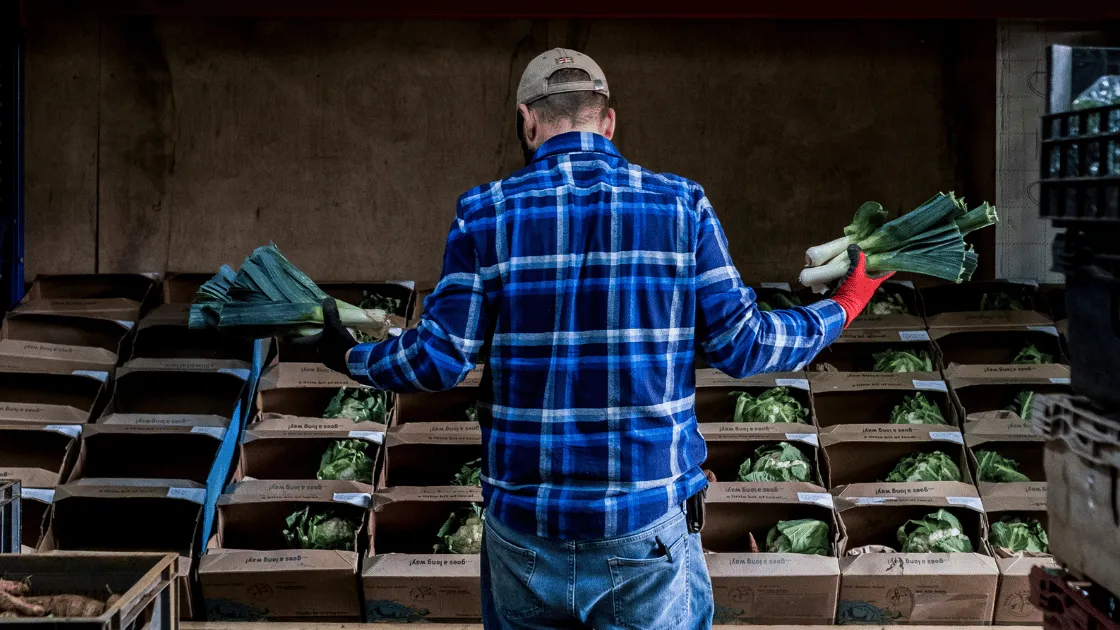
Farm, produce, and meat boxes are becoming increasingly popular. We’ve come a long way from the traditional CSA model, where members pay an upfront fee at the beginning of the season and receive a standard box week after week. Today, you can find everything from veggie boxes to meal kits, meat packs, and more.
Over the past few years, we've noticed that farms are competing not only with grocery stores but also with popular meat box programs. Boxes and bundles are not going away, and for good reason, too! Bundling up your products can help increase your average order value and help move excess or less popular inventory.
Boxes are more than just a trendy way to deliver your products—they are a strategic tool to boost your farm's efficiency, profitability, and customer satisfaction. Here are some key benefits of incorporating a box program into your farm's operations:
Farm boxes allow you to turn surplus or less popular items into valuable sales. Rather than letting products go to waste, you can bundle them in a box, allowing you to market them as a new product altogether.
Tip: if you have a best-seller. Consider bundling it together with less popular items
and selling it only as a part of the bundle. This can help drive interest.
When you bundle products together, you increase the perceived value. Customers are likely to spend more when they feel they’re receiving a diverse selection of products in one go i.e. why order a selection of meats separately when I can get The Farmer’s Choose Box for one set price? The reality is that by choosing the box, the customer might actually be spending more with you than if they were to select various individual cuts.
Boxes also foster discovery and the potential for repeat purchases. Within a box, customers have the opportunity to try products that they may not have purchased otherwise, and this can increase the chance of them buying these items again in the future.
This is huge for CSAs doing a standard box program. Accurately track how much of each item you sell throughout your CSA season. With proper record keeping, you’ll know exactly what went into each box and how much your inventory moves each week. This makes planning for next year much easier.
Selecting the best e-commerce or sales platform is crucial for the success of a box program. Things can quickly become messy–you want a platform that can support the complexity of the model while also making it easier for you! This is key. You want your platform to work for you, not vice versa.
Look for a platform that offers, first and foremost, a box builder. But further subscription capabilities, robust inventory management, secure payment processing, the ability to sell variable-weight products online, and scalability. Local Line stands out as an e-commerce solution tailored specifically for ranchers selling meat online, with built-in subscription capabilities and seamless integration options.
.png)
Our Box Builder feature makes it easy to create and sell customized farm boxes through your online storefront. You can combine multiple products into a single box, and when a customer purchases it, the system automatically pulls from your inventory, ensuring accurate tracking. You can view and manage box contents directly in your order logs and pick-and-pack exports, making fulfillment simple and streamlined.
Plus, for farms and food hubs running subscription programs, our Box Builder allows for flexible contents that can change weekly, allowing you to adjust before orders are finalized. Whether working solo or collaborating with other producers, you can build shared product boxes and update the contents before delivery—making your farm box program as efficient and flexible as possible.
And now, Box Builder includes Box Swaps, a built-in way to offer customers the flexibility to customize their box without creating operational chaos. Box Swaps lets you identify which items in the box can be replaced and what they can be replaced with, so customers get choice while you stay organized.
Managing swaps manually can quickly overwhelm your workflow, especially during a busy CSA season. A simple request like “Can I trade kale for carrots?” can snowball into long email threads, sticky notes, and forgotten adjustments.
With Box Swaps:
This added flexibility strengthens customer satisfaction and retention while giving you a simple, structured way to manage weekly variability.
To start using Box Builder, log into your Local Line account and navigate to the Products dropdown menu in the side navigation bar. Select Boxes, then click on the Create Box button at the top-right. This will bring up a setup screen with several customization options that make it easy to design your box exactly how you want.
When building or editing a box:
These options will appear directly to customers when they add the box to their cart.

Customers will see clear swap choices when viewing or editing their box.
For example:
The customer simply selects their preference, and the change applies automatically to their order.
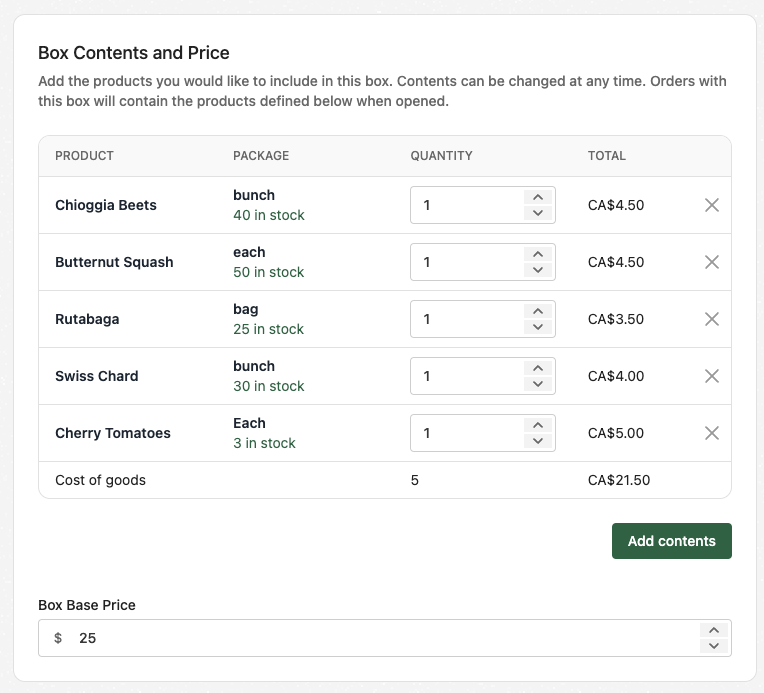
In this section, you’ll enter the main details about your new box, including:
Inventory management is straightforward with Box Builder:
You control visibility and approval requirements for your boxes:
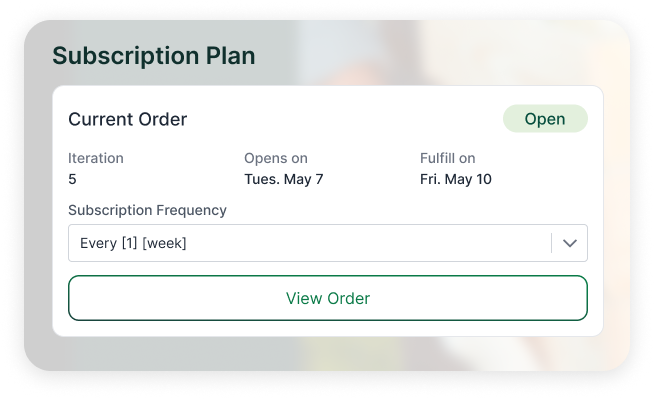
Subscription Settings allows you to define how customers can purchase the box:
Boxes are not just for CSAs or meat producers. There is a wide range of bundles you can offer your customer base. Here are a few:
Develop a pricing strategy that balances competitiveness with quality to attract and retain your customers. It’s always a good idea to offer different subscription tiers and customization options to cater to varying preferences and budgets.
You can also create clearance or value boxes where you offer a slight discount on the bundle vs. buying the items separately.
With Local Line, you can control how the box is priced and which customer groups can access it:
👉 Need help calculating your Costs of Goods Sold (COGS)? Read this article!
A big benefit of selling boxes vs. individual products is packing efficiency. Stop delivering air. With boxes, you can optimize your volume and pack consistently to fill your truck every time.
With Local Line, you can export pick and pack lists directly from the platform to give to your packing team. Inside Local Line, you have four picklists, two packlist formats to select from, and a combination report. These include:
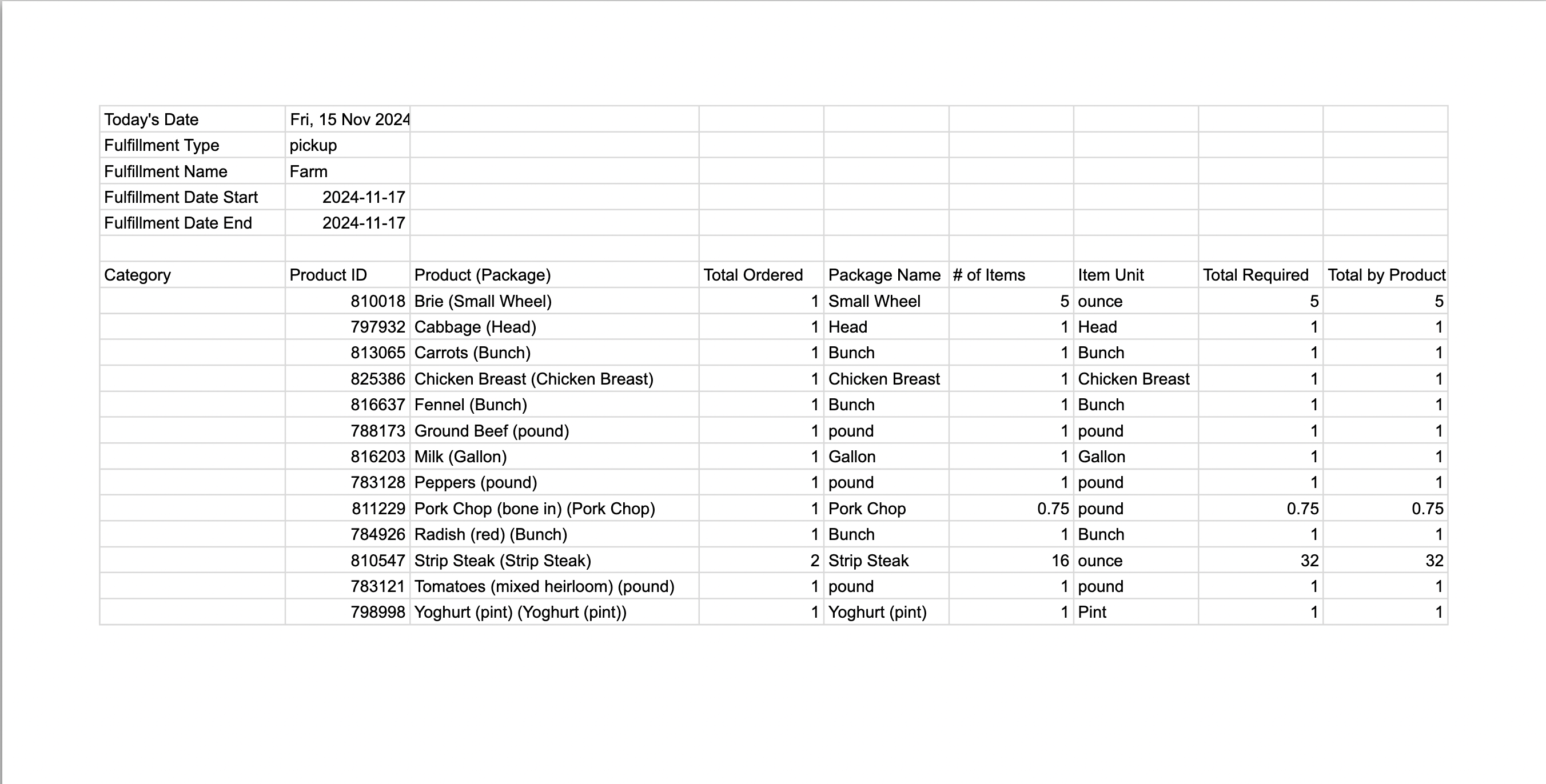
You can also export 4x6 thermal labels that outline the contents of your bundles to print and stick on boxes to streamline customer pick-up and delivery.

Promoting your boxes requires a multi-channel approach, including social media, email marketing, a great website, paper or in-person marketing, and more. Additionally, consider leveraging search engine optimization (SEO), paid advertising, and engaging content to build an online presence.
To better equip farmers with the skills and tools they need, we wrote a book! Ready Farmer One: The Farmers’ Guide to Selling and Marketing is the all-in-one handbook for farmers looking to sell directly to their customer base. You can learn more about the book or order a copy here!
Exceptional customer service is key for fostering long-term relationships and ensuring customer satisfaction. Be responsive to inquiries and feedback, continuously striving to improve your products and services. Implement loyalty programs and incentives to reward customer loyalty and encourage long-term subscriptions.
👉 We wrote an article outlining how to respond to customer complaints. Get our best customer service tips!
Selling boxes online requires careful planning, attention to quality, and effective marketing strategies. Local Line provides the essential tools and resources needed to streamline the process, from sourcing local suppliers to managing subscriptions and payments. By leveraging Local Line's e-commerce platform, you can confidently enter the market and establish a successful online business.
Nina Galle is the co-author of Ready Farmer One and a specialist in farm e-commerce, CSA management, and digital wholesale marketplaces. Over the past eight years, she has worked with thousands of family farms implement online ordering systems, subscription models, and wholesale distribution strategies. At Local Line, Nina focuses on helping farmers sell direct-to-consumer, manage CSA programs, and access new wholesale sales channels.
More by this author →.avif)