Is your farm's website losing you sales? Get a free grade in 3 mins.
Grade my site →
Scale your operations. Serve customers better. Strengthen your local food system.

Building a successful food hub is about more than just connecting farms to buyers; it’s about designing a system that is reliable, scalable, and community-centered. A modern food hub coordinates sourcing, sales, packing, and distribution across multiple suppliers to serve a range of customers, from households to restaurants to institutional buyers. When done well, this coordination allows local producers and vendors to reach new markets while customers gain consistent access to fresh, regional food.
At its core, a thriving food hub achieves several key outcomes:
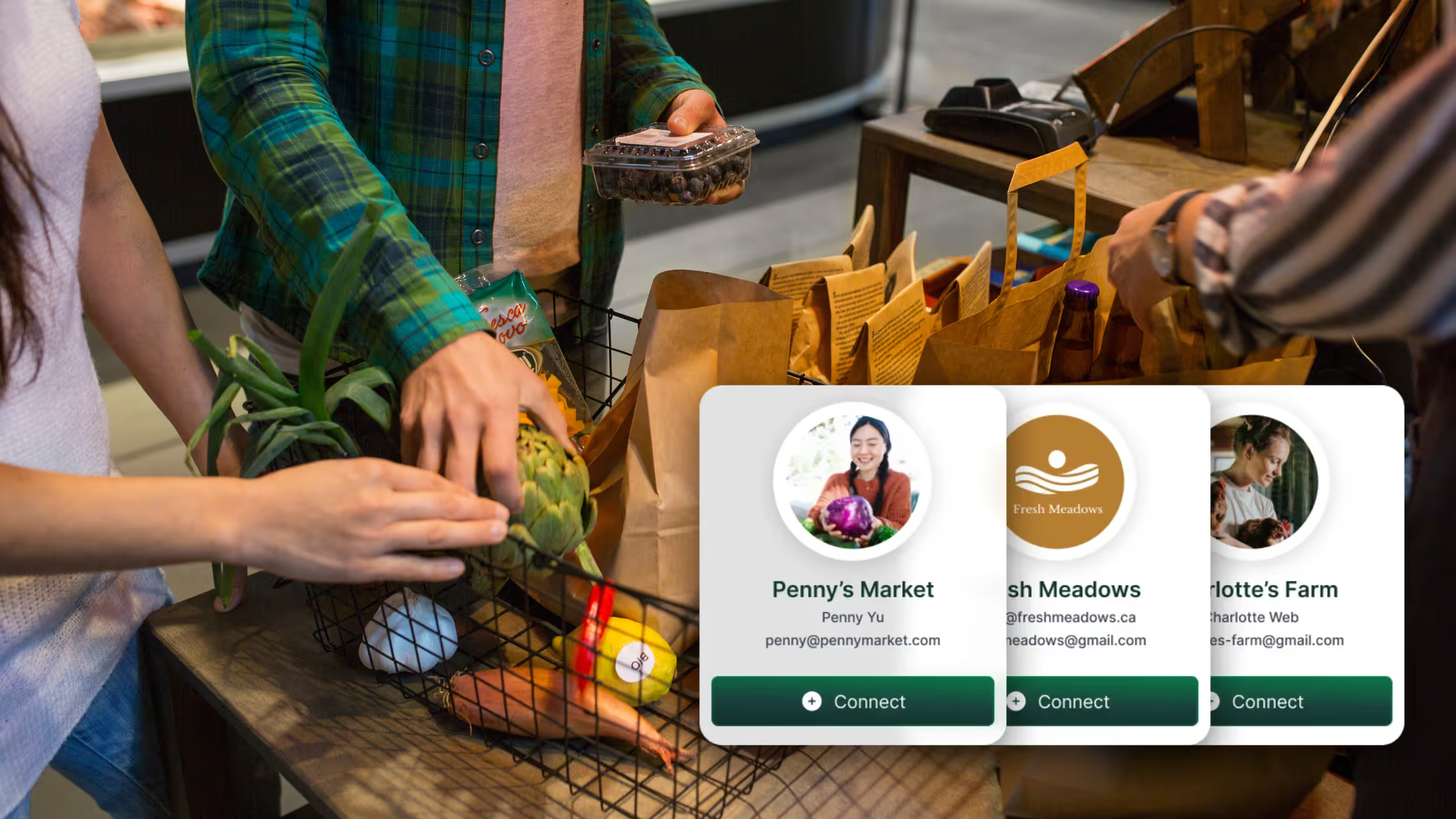
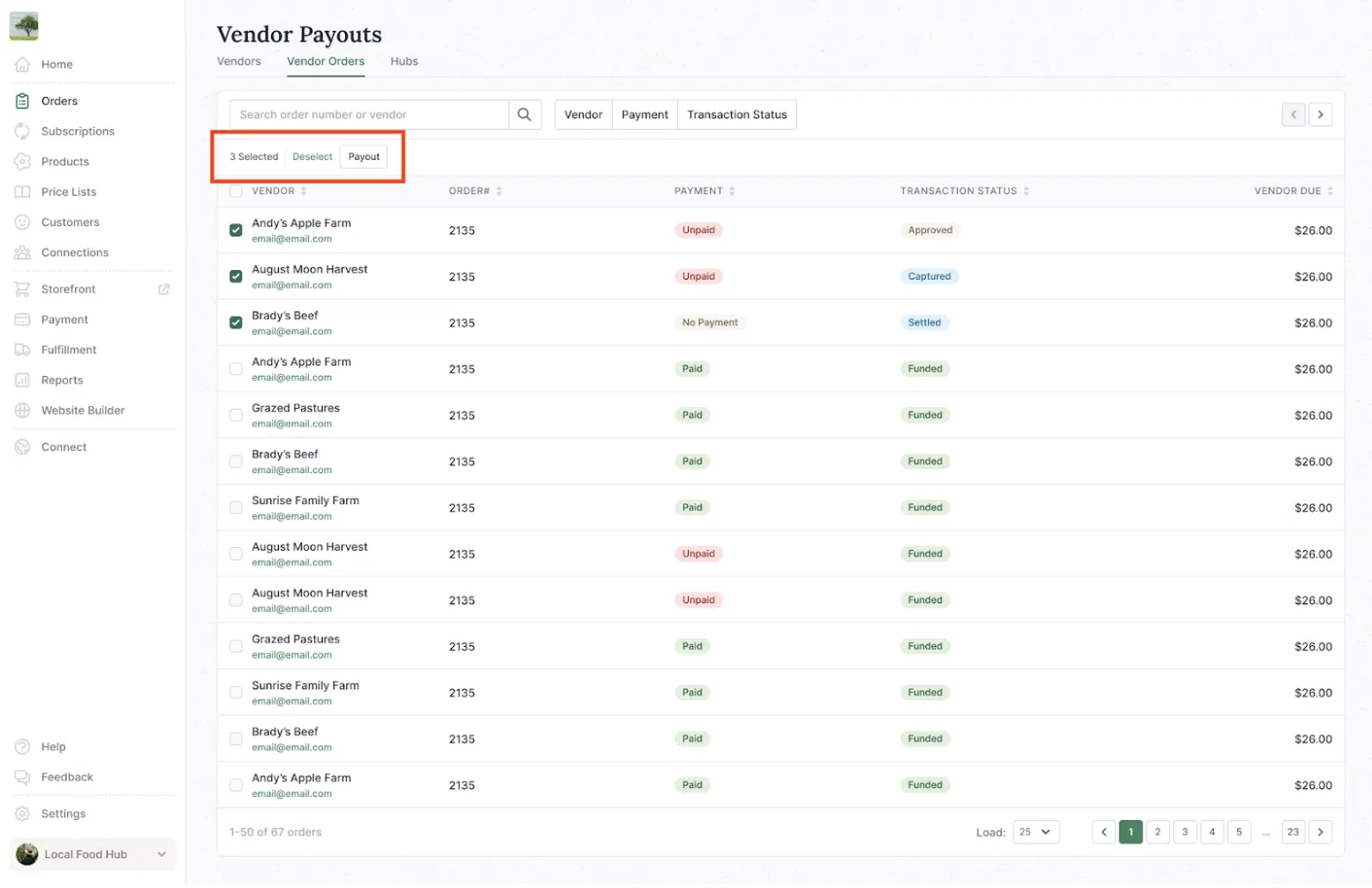
Local Line serves as the backbone for many of today’s most successful food hubs, offering an integrated suite of tools that streamlines operations across every aspect. Through Vendor Management, hubs can manage both “Managed” and “Connected” vendors, invite suppliers, set permissions, and handle payouts all in one place. With Discover, hubs can find and connect with new local suppliers or buyers, expanding their assortment and distribution networks. Price Lists make it easy to segment offers by audience —retail, wholesale, or community programs —while the CRM & Email Dashboard helps managers stay in touch with customers through automated updates and reminders.
Operational efficiency comes to life through Local Line’s bulk actions and numerous exports, which simplify order confirmations, packing, and delivery routing. Reports provide critical visibility into sales, vendor performance, and fulfillment metrics. These tools ensure that hubs can grow confidently without losing control of their data or workflows.
Scaling a food hub doesn’t happen overnight; it’s the result of steady growth and increasing complexity. You’ll know it’s time to scale when operations start to feel bigger than your current systems. Perhaps you’re seeing consistent weekly orders and a loyal base of repeat customers. Maybe your vendor network has grown to ten, twenty, or even fifty producers. Or you might find yourself managing multiple fulfillment models — pickup, delivery, and wholesale — at once. When these signs appear, it’s a signal that your hub has outgrown spreadsheets and manual processes. Embracing structured systems and tools will help you maintain quality, streamline payouts, and keep everything running smoothly as you grow.
This guide walks you through the systems, workflows, and tools that modern food hubs use to scale successfully. Inside, you’ll learn how to:
By the end, you’ll have a clear roadmap for building a scalable, community-driven food hub supported by Local Line’s modern food hub software.
Every food hub eventually reaches a point where the question becomes not if you’ll grow, but how you’ll handle that growth. The right fulfillment model depends on your size, staffing, geography, and customer expectations. Each approach has its own strengths and trade-offs, and many hubs evolve from one model to another as they scale.
In this model, each vendor fulfills their own orders directly. It’s ideal for smaller hubs or markets that prioritize personal farmer–customer relationships.
Centralized fulfillment means all vendors deliver their products to one location, where the hub team handles packing and order assembly. This model gives the hub maximum control and provides a seamless one-box experience for customers.
Many hubs find success in combining both models. Vendors may drop off their goods for some regions while fulfilling their own orders elsewhere. This flexibility allows the hub to scale gradually and optimize for geography and staffing.
Example: Region Roots in Indiana uses a hybrid model: farmers deliver some products directly to partners, while others are aggregated in a central warehouse. This balance helps them manage both community programs and institutional buyers efficiently.
Local Line supports every fulfillment approach with features that streamline operations vendor-specific order views, pick/pack exports, driver manifests, delivery plans, and automated vendor payouts. No matter how you structure fulfillment, you can maintain clarity and efficiency from order to delivery.
When choosing or reviewing your fulfillment model, consider:
A well-structured weekly order cycle is the backbone of any thriving food hub. It creates rhythm, predictability, and accountability for both vendors and customers. Establishing a clear schedule helps ensure that everyone knows exactly when and how to act, minimizing confusion and last-minute changes.
While every region’s cadence will differ based on supply, customer habits, and logistics, most successful hubs follow a similar pattern that keeps operations flowing smoothly.
Here’s a model you can adapt to your own schedule:
Consistency keeps customers happy and vendors confident in your process. To maintain smooth weekly operations:
At Mali Plac in Slovenia, operations follow a predictable weekly rhythm. Farmers submit availability on Thursdays, and by Friday afternoon, their Local Line storefront opens to customers. Orders pour in, often more than a hundred within the first hour, and by Tuesday, deliveries are underway to over 30 pickup locations. This repeatable cadence not only keeps customers engaged but also allows the small team to manage 1,000+ weekly orders efficiently with minimal stress.
When your order cycle runs like clockwork, your food hub becomes both dependable and scalable, setting the foundation for sustainable growth.
Managing vendors effectively is at the heart of running a scalable and transparent food hub. Each vendor relationship must balance flexibility and control—empowering farmers to manage their own listings while ensuring the hub maintains operational consistency, accuracy, and accountability.
Local Line offers two ways to manage vendors, giving hubs control over how responsibilities are divided:
As food hubs grow, Connected Vendors offer a more sustainable, scalable model. By letting suppliers manage their own data, hubs reduce administrative overhead, improve real-time accuracy, and enable faster onboarding of new partners. Vendors also gain autonomy and a sense of ownership, strengthening long-term collaboration.
For example, Eat Local Huron manages more than 50 producers this way. Each vendor updates their listings weekly, while the hub oversees final pricing, coordinates logistics, and automates end-of-month payouts. This balance keeps operations lean, requiring only a few hours of admin work each week.
To maintain consistency across all vendors, establish and document your internal standards early on. These standards help prevent confusion and ensure quality remains consistent, even as the hub expands.
Key operational elements to define:
.webp)
👉Siskiyou Farm Co. provides all their vendors with a Producer’s Guide. Click here to see an example.
Your product catalog is the heart of your food hub’s customer experience; it’s where operational precision meets marketing appeal. A clear, organized catalog helps customers find what they need quickly and ensures vendors can keep their listings up to date. A thoughtful inventory strategy minimizes errors, reduces admin time, and keeps your offerings fresh and relevant throughout the year.
When designing your catalog, start with your anchor categories: produce, proteins, dairy, and pantry staples. These serve as your foundation, representing your region’s strongest supply and highest customer demand. Build around these anchors by layering in seasonal rotations, such as Fall Favorites or Best Sellers.
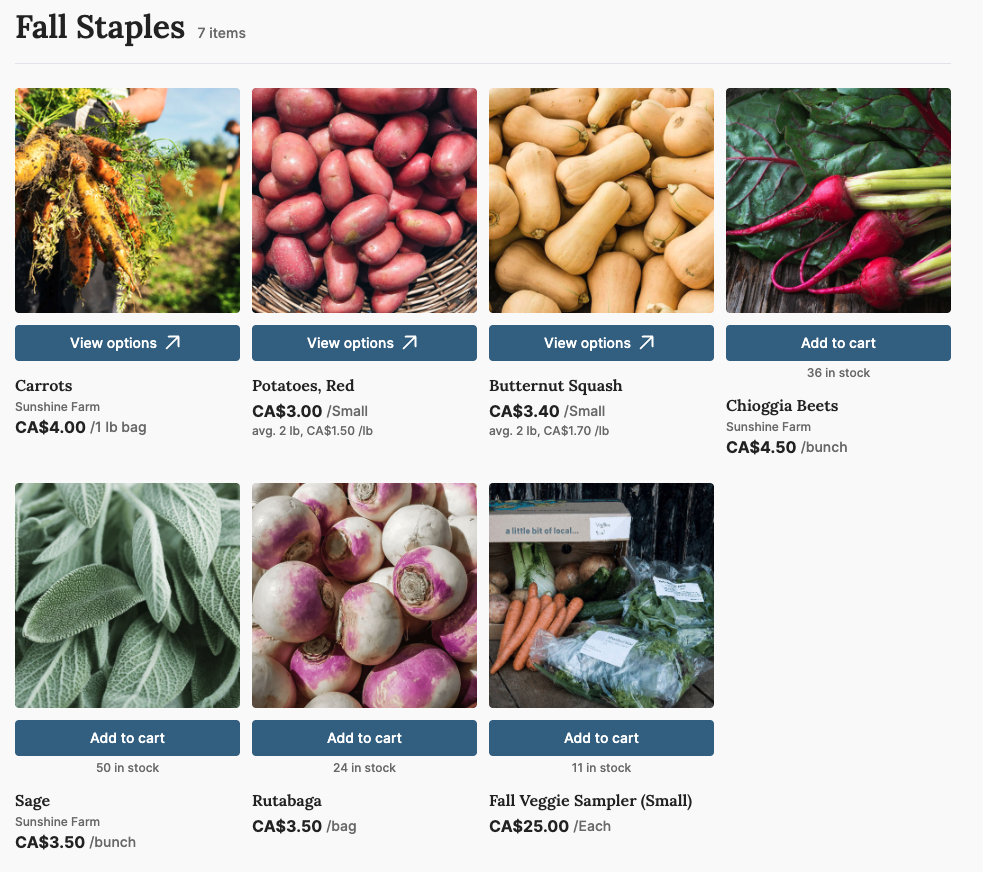
Use stock limits to prevent overselling and empower vendors to update their own inventory in real time through Local Line. This level of accuracy builds trust.
Use tags such as organic, grass-fed, pasture-raised, or seasonal special to enhance merchandising and searchability within your storefront. Combine tags with categories to curate themes like “Breakfast Favorites,” “Grill Season Essentials,” or “Local Pantry Picks.”
A single online storefront doesn’t mean a one-size-fits-all approach. Food hubs often serve multiple customer types, from households and restaurants to institutions and community programs, each with unique pricing, delivery, and communication needs. Local Line’s Price Lists feature allows you to manage all these customer relationships within one platform, maintaining control and flexibility while avoiding duplicate work.
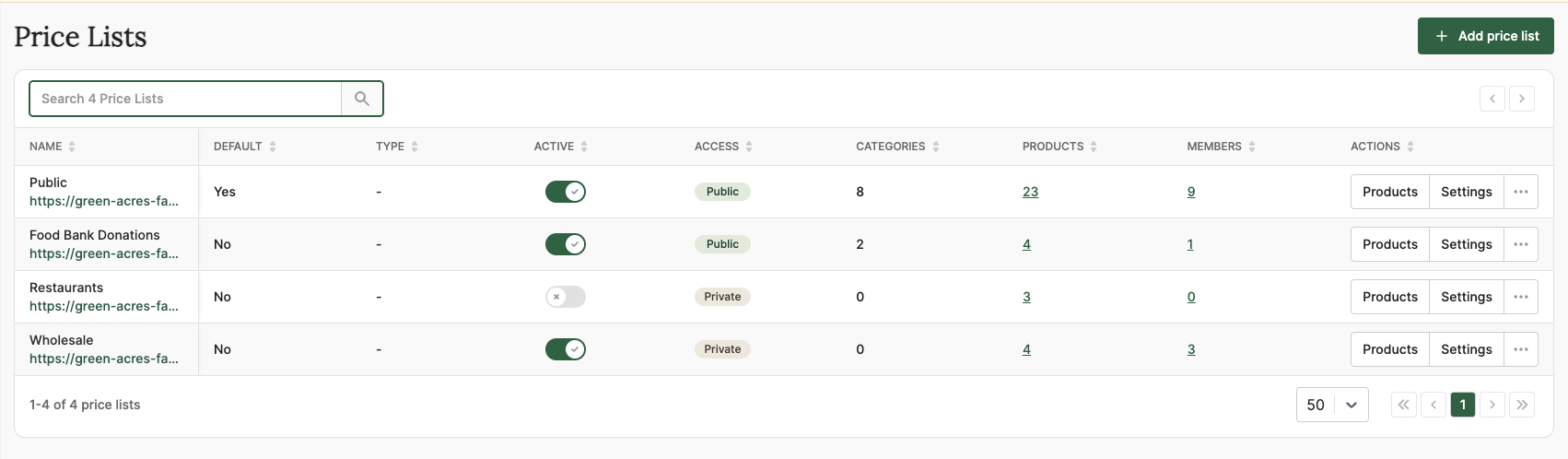
Different customer segments require different approaches. Local Line’s price lists let you customize the buying experience for each group without managing multiple storefronts.
Price Lists enable your hub to tailor operations for multiple audiences from a single central storefront.
At Region Roots in Indiana, the team uses multiple price lists to serve both institutional buyers and community food access programs. By customizing markups and minimum order thresholds for each group, they maintain fair pricing across the board while ensuring wholesale customers get the efficiency they need. This system also simplifies reporting, allowing Region Roots to separate grant-funded transactions from retail sales for compliance and transparency.
Strong communication is what turns one-time buyers into loyal customers. In a food hub, timely updates and personalized outreach aren’t just nice-to-haves. They’re essential for maintaining trust, reducing confusion, and saving your team countless hours of manual work. Local Line’s CRM and Email Dashboard let you automate, segment, and track communication so your customers always feel informed and supported.
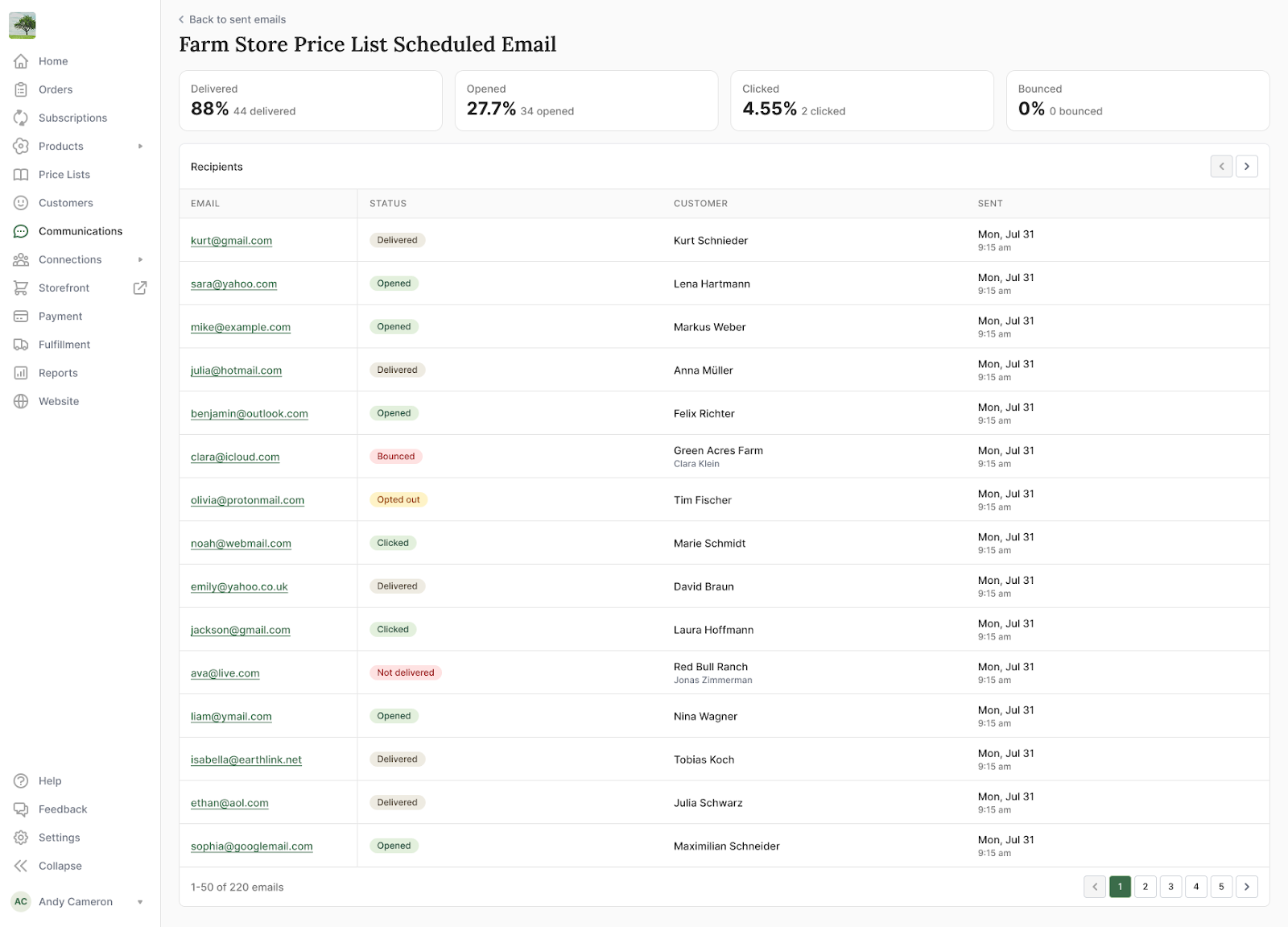
The Email Dashboard lets you send professional, targeted messages directly from your Local Line back office. Instead of juggling multiple platforms, you can manage customer outreach right where your orders and data live.
You can segment lists by:
Automation keeps your customers in the loop while freeing up staff time. Use triggers and templates for key points in the weekly cycle:
At Mali Plac in Slovenia, clear communication drives customer satisfaction. Automated store-open and reminder emails ensure customers place orders promptly, while consistent pickup updates minimize confusion across 30+ locations. The result? Over 6,000 customers served weekly with minimal support tickets—proof that automation and clarity keep large operations running smoothly.
Scaling a food hub requires doing more with less—more orders, more vendors, more customers, but not more manual work. Local Line’s bulk tools and exports are designed to save hours each week by automating repetitive tasks, reducing clicks, and improving operational accuracy.
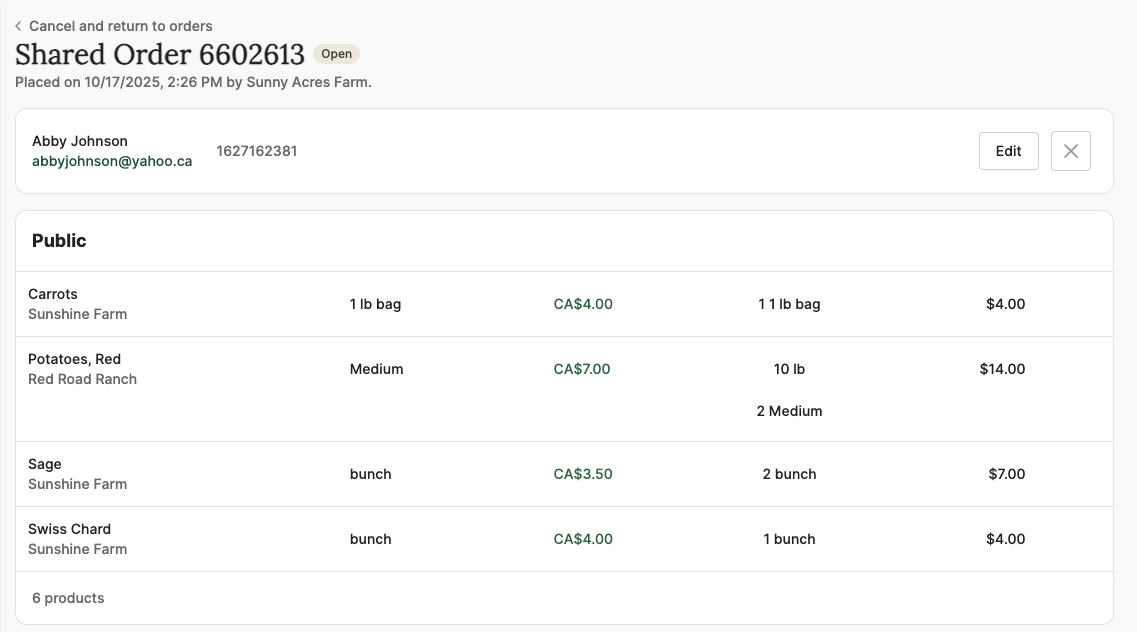
Local Line’s bulk actions make it possible to process dozens (or even hundreds) of changes in a single step:
Weekly exports are the operational glue that keeps fulfillment organized and traceable. These files translate your digital storefront into actionable checklists for packing, routing, and payouts:
Once the deliveries are complete, it’s important to close the loop on every cycle. Local Line’s exports and reporting tools make reconciliation fast and transparent:
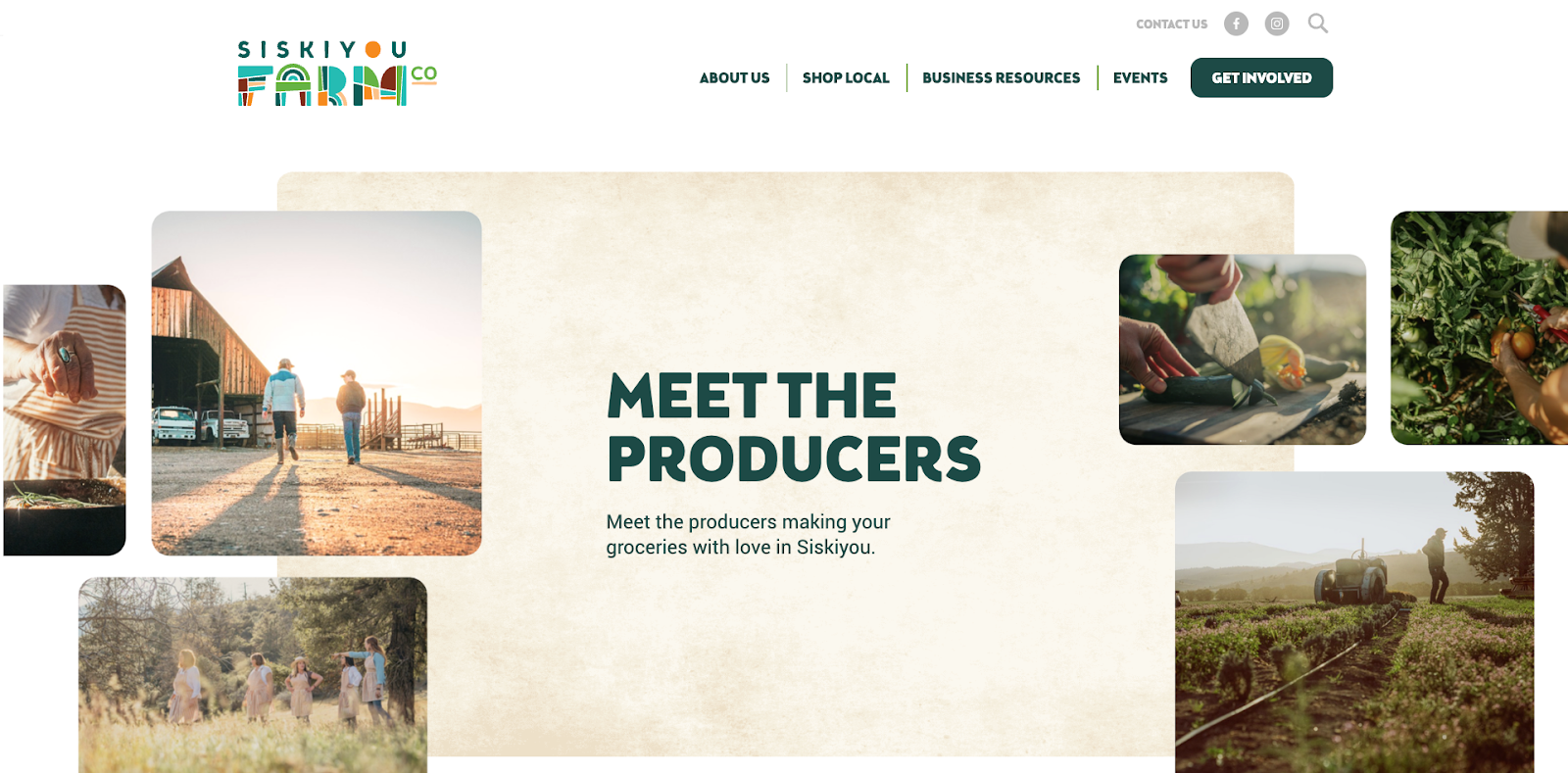
At Siskiyou Farm Co., a 7,000-square-mile delivery network, efficiency depends on consistency. Each week, the team uses bulk confirmations to finalize orders, exports pick and pack lists for every route, and uses driver manifests to ensure precise fulfillment. Post-delivery, they log exceptions and reconcile vendor payouts using Local Line reports, all in less time than it used to take to send one round of emails—the result: fewer errors, faster turnaround, and happier producers and customers alike.
By leveraging bulk actions and exports, food hubs transform what used to be hours of manual admin into a few strategic clicks, keeping operations scalable and stress-free.
For food hubs, growth and sustainability rely on more than operational excellence—they depend on data. Accurate reporting not only streamlines internal decision-making but also strengthens your ability to secure grants, maintain transparency, and demonstrate measurable impact. Local Line’s Reports and Analytics Dashboard consolidates your key metrics in one place, turning everyday transactions into valuable insights for both management and funders.
Effective managers don’t just track sales; they analyze trends that reveal performance and opportunities for improvement. Local Line’s analytics make this simple, helping you see what’s working and where to adjust.
Monitor these essential dashboards:
Many food hubs rely on grant funding or institutional partnerships to scale their mission. Strong, standardized reporting is key to maintaining those relationships.
Use Local Line’s exports and analytics to:
To evaluate your own performance, it helps to know where the broader industry stands. Drawing from aggregated Local Line customer data, here are a few reference points:
At Region Roots in Indiana, Local Line’s reporting capabilities directly supported their success in securing a USDA Local Food for Schools grant. By using detailed sales and vendor data from the platform, the team demonstrated clear operational metrics, delivery performance, and community impact. These robust analytics not only helped them win funding but continue to strengthen their case for future grants.
Schedule a monthly analytics review with your team. Focus on trends in sales, fulfillment accuracy, and vendor performance rather than isolated numbers. Over time, consistent data review builds confidence with funders, identifies growth opportunities, and keeps your hub running like a professional distribution business.
You’ve now got the blueprint for running a modern, scalable food hub: one that’s efficient, transparent, and ready to grow. But the real transformation starts when your systems begin working together seamlessly. Local Line was built to make that possible.
Whether you’re running a small cooperative, a regional aggregation network, or a nonprofit distribution program, Local Line gives you the structure and automation you need to scale without losing your community focus. From inventory management and vendor payouts to customer communication and grant-ready reporting, it’s all in one place, designed specifically for local food operations.
If your team is:
Then it’s time to see what Local Line can do for you.
Book a personalized demo with our team to see how the platform fits your exact workflow. In 30 minutes, we’ll walk you through how other hubs, like Mali Plac, Eat Local Huron, and Region Roots, are scaling with Local Line. You’ll leave with a clear picture of what your hub can look like when every tool works together.
Start building the systems today that will power your food hub for years to come. With Local Line, you’re not just managing orders, you’re growing a stronger local food economy.
Nina Galle is the co-author of Ready Farmer One and a specialist in farm e-commerce, CSA management, and digital wholesale marketplaces. Over the past eight years, she has worked with thousands of family farms implement online ordering systems, subscription models, and wholesale distribution strategies. At Local Line, Nina focuses on helping farmers sell direct-to-consumer, manage CSA programs, and access new wholesale sales channels.
More by this author →.avif)