
Placing orders from your local suppliers should be fast and efficient, but in many cases, submitting multiple orders from your local suppliers is known to be the most cumbersome part of your day.
Today, we’re excited to introduce two new features: Planogram Tags and Category Tags, which make ordering from your local suppliers up to 20% faster!
One Aisle, One Order
Until now, ordering local often meant placing orders supplier by supplier. With Planogram and Category tags, buyers can now walk an aisle, select a tag, and create a single order that includes every local item in that section of the store.
Together, these features can save 4-5 hours per week, per location, while also unlocking new reporting insights into local purchasing. Best of all, both features are included in your current Local Line plan at no additional cost.
What Are Planogram Tags?
Planogram Tags allow you to assign products to specific in-store displays or shelf layouts. When it’s time to restock, you can filter by a planogram tag and instantly see a curated list of every product in that section.
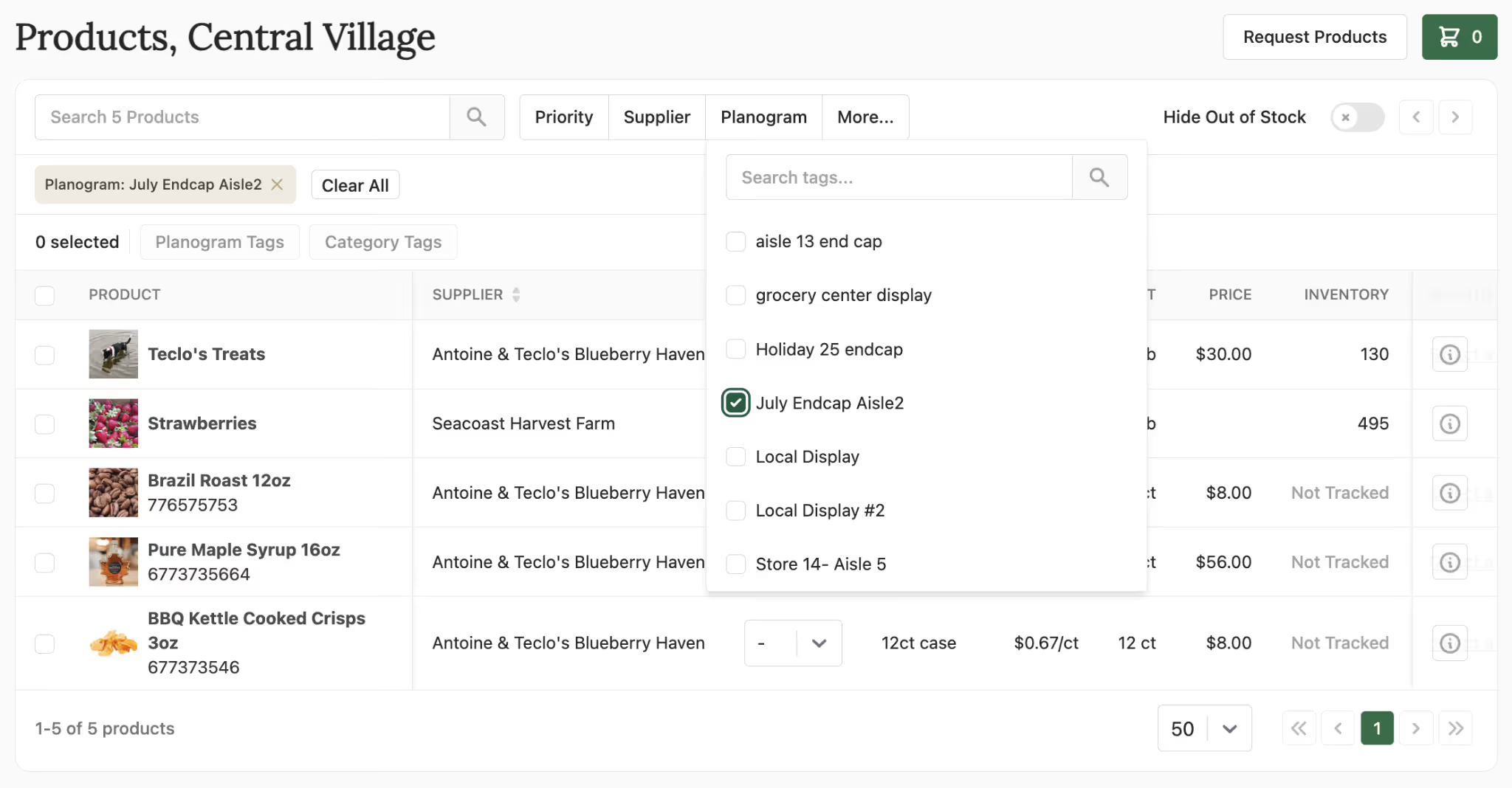
For example, if you’ve set up a holiday endcap across multiple locations, you can tag all products in that display with a “Holiday Endcap” planogram tag. When it’s time to reorder, buyers simply select the Holiday Endcap tag and place an order from a pre-filtered list of all items in that display. Local Line will automatically break out the cart by supplier, ensuring each order goes to the correct vendor.
This not only saves time, but greatly reduces errors when multiple users are placing orders. Planogram tags can be set by admins or individual store users, making them flexible for both centralized and store-level workflows.When a category manager wants to create a display that is consistent across multiple locations, Planogram tags will make sure everyone is on the same page. Likewise if an employee is new or has to step in for the current buyer, these tags are a great way to communicate and create a uniform ordering process.
What Are Category Tags?
Category Tags let you group local products by in-store category, such as Produce, Bakery, Dairy, or Frozen. This makes it easier for department-specific staff to reorder only what they’re responsible for.
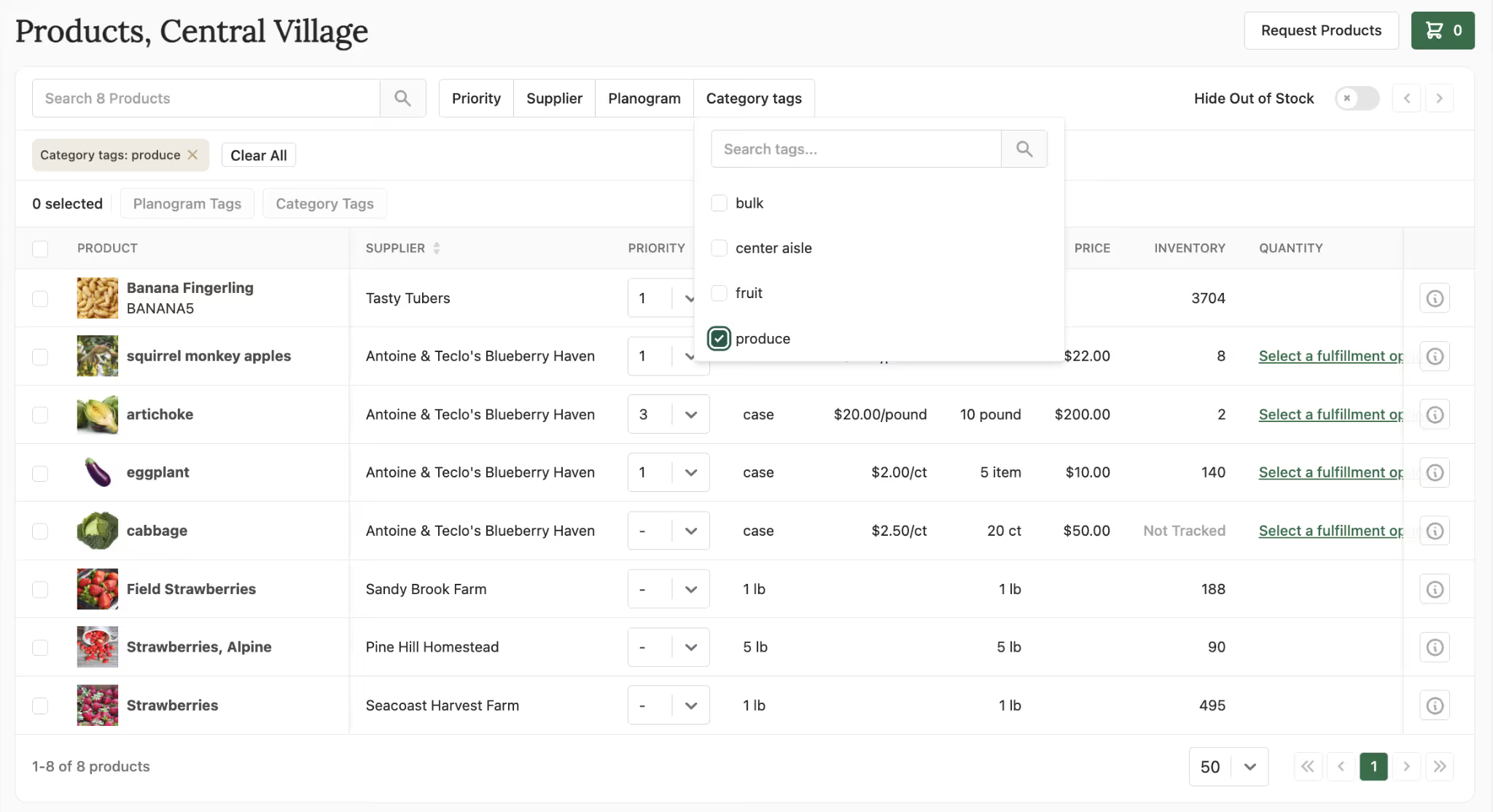
As an example, a Produce Manager can select the “Produce” category tag and see only produce items, without scrolling through baked goods, deli, or snack products that are irrelevant to their department. This keeps ordering focused, efficient, and mistake-free.
Category tags also enable a new set of reporting tools, allowing admins and managers to track local purchasing by category with more detail than ever before. Want to see what department is leading your store in local purchasing? Category tags make reports like this available at the click of a button.
Consistency, Speed, and Growth
Planogram and Category Tags are built to scale with your local program and work the way your store does. As assortments grow and teams expand and change, these tools keep ordering simple, consistent, and easy to manage across every location. Whether you are managing one store or one hundred, less time spent ordering means more time on the floor, better stocked shelves, and overall success for your local program.
.avif)