

We’re excited to announce the launch of our brand new homepage for Buyers!
Sourcing from multiple suppliers means juggling order cutoffs, delivery days, and last-minute changes, often across several screens. Our previous homepage was centered on reporting, which was useful for looking back, but less helpful when you need to quickly answer two critical questions: what do I need to order next, and what’s arriving soon?
The updated homepage in Local Line is designed to solve exactly that.
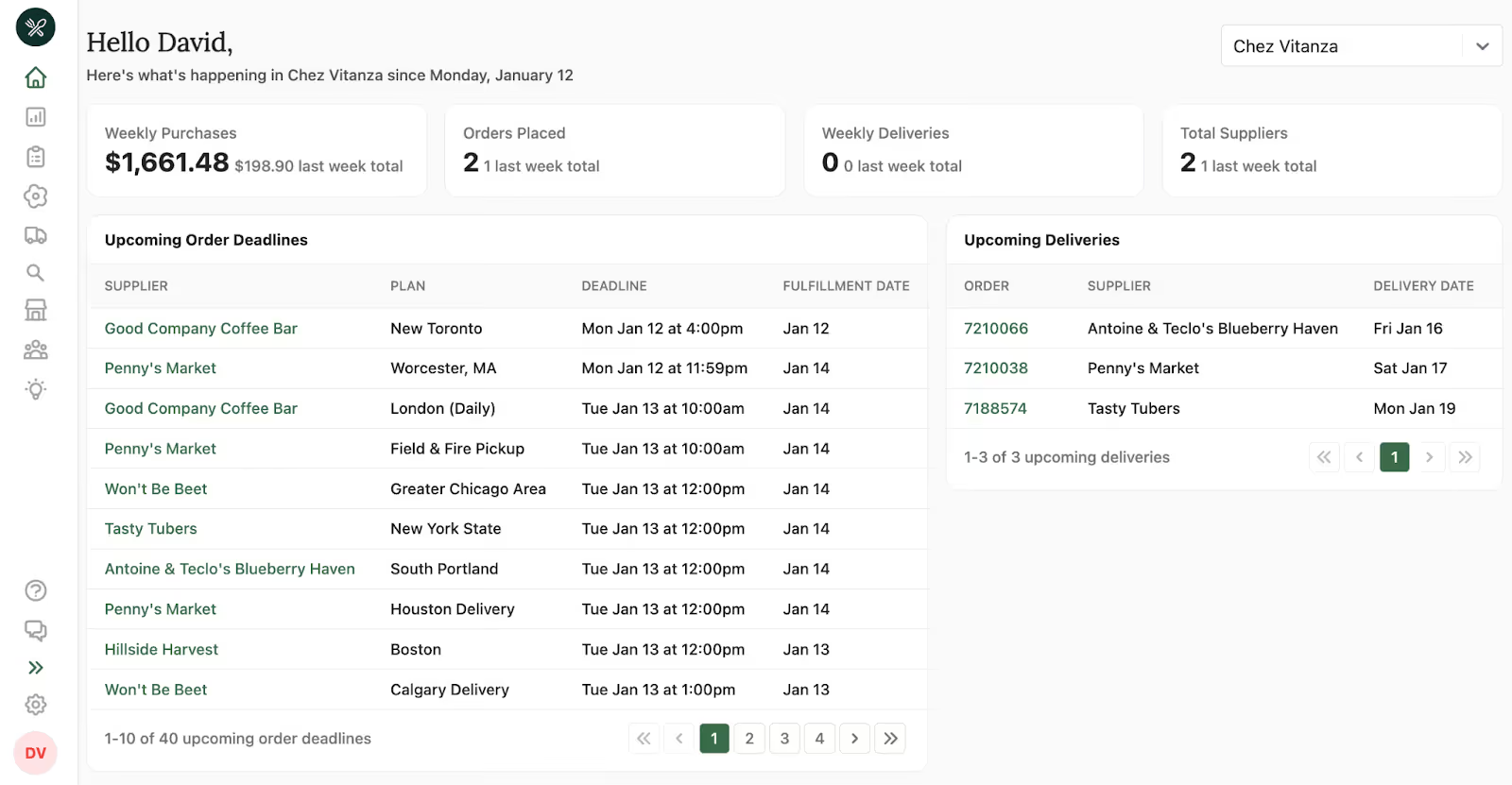
At a glance, the page is now organized around the natural rhythm of your week. On the left, you’ll see upcoming order deadlines, helping you prioritize what needs attention right now. On the right, you’ll see upcoming deliveries, so you always know what’s coming through the door—and your team can be prepared for the day ahead. In addition to deadlines and deliveries, further down the page you’ll see products recently added by your suppliers, giving you visibility into what’s new across your network.
Order Deadlines, Right When You Need Them
The left side of the homepage shows all your Upcoming Order Deadlines, giving you a clear, chronological view of supplier cutoffs and fulfillment dates. Instead of hunting through supplier lists or calendars, you can immediately see which orders need to be placed and when.
When it’s time to act, you can simply click a supplier’s name to go straight to their price list and place an order. The goal is fewer clicks, less context switching, and more confidence that nothing gets missed.
Deliveries, Clearly in View
On the right side of the homepage, Upcoming Deliveries keep your receiving schedule front and center. This section shows which orders are arriving and on what day, making it easier to plan staffing, storage, and prep.
Each order number is clickable, so you can quickly jump into an order to review details or make edits when needed without leaving the flow of your day.
Easily Switch Between Locations
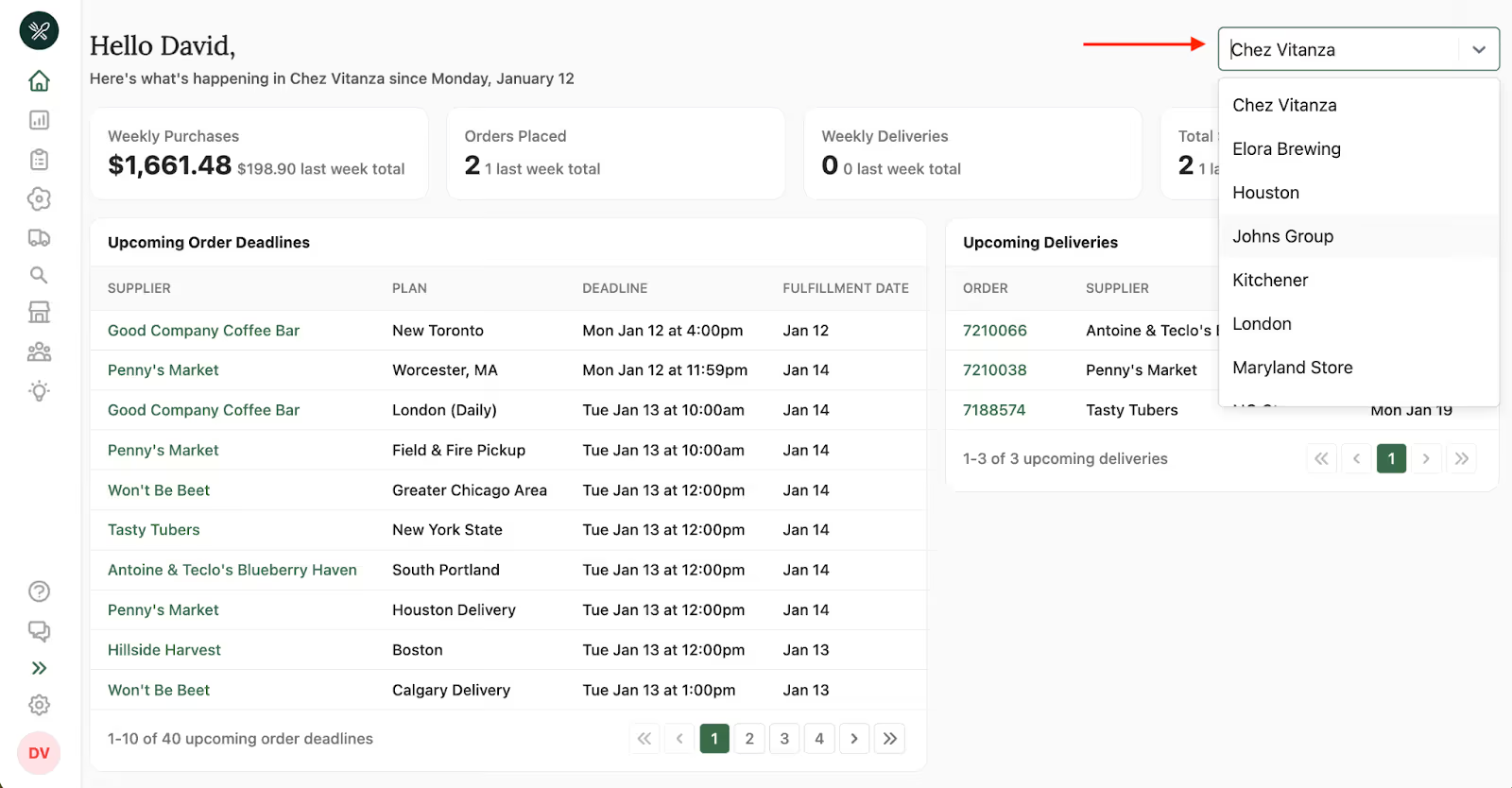
For users managing multiple locations or departments, the new homepage makes it easy to focus on one location at a time. Admins can use the location dropdown in the upper right-hand corner to select which location they’re viewing at any time.
Once a location is selected, all deadlines, deliveries, and orders on the homepage update automatically to reflect that location’s activity. This makes it simple to move between departments, stores, or facilities without losing context and saves users from accidentally placing or reviewing orders for the wrong location.
Whether you’re checking in on a single site or managing several at once, switching locations is fast, clear, and always visible.
New products from your Suppliers
To help you stay on top of changes across your supplier network, our homepage now highlights new products recently added by your suppliers. This section gives you a quick, visual way to spot new items without digging through product lists or individual supplier pages.
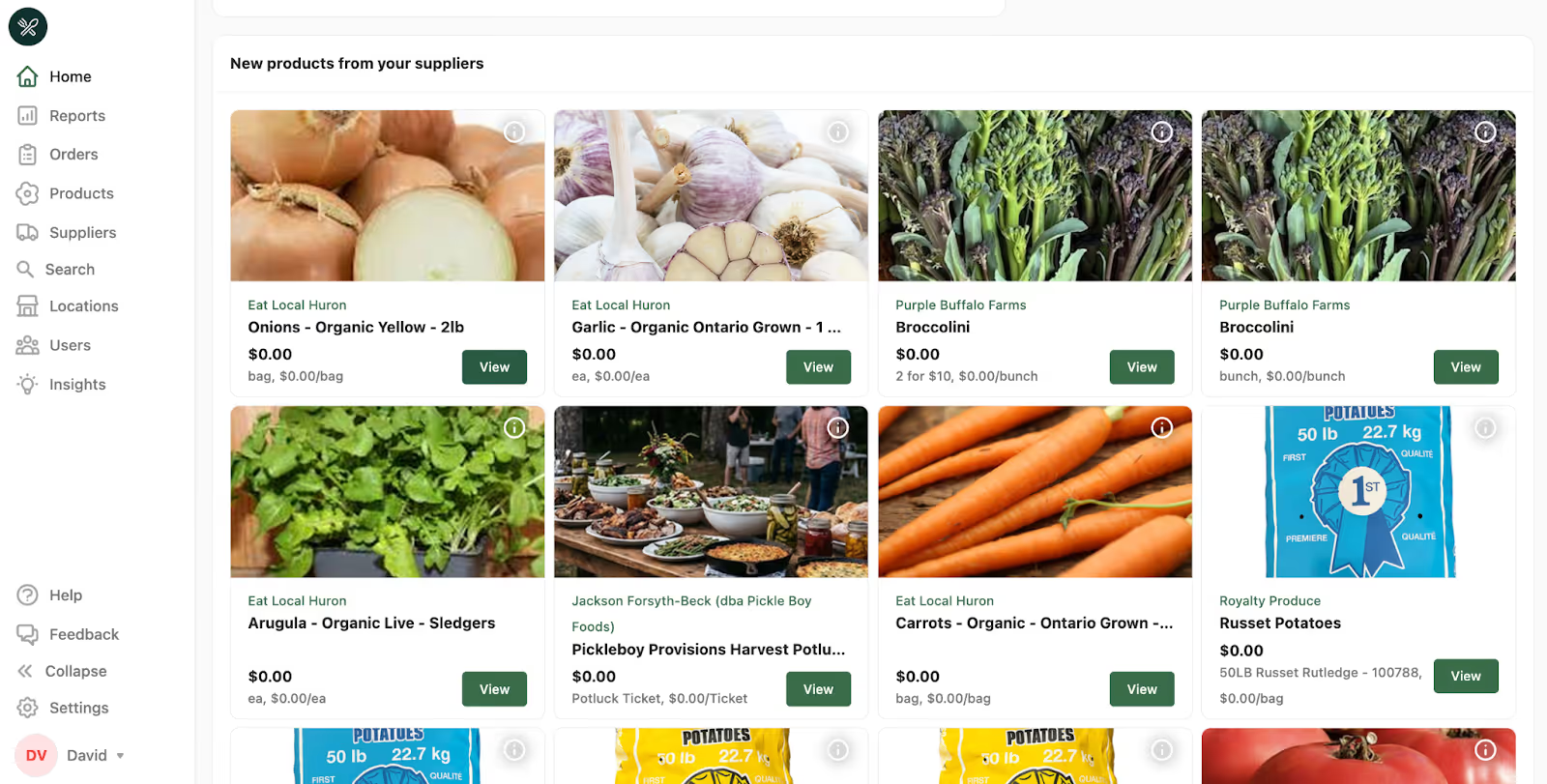
Whether it’s a seasonal product, a newly available staple, or something you want to evaluate for upcoming orders, you can review details and take action immediately. It’s another way our homepage helps you move from awareness to ordering faster, so nothing new gets overlooked.
A More Focused Homepage
To support this streamlined experience, reports that previously lived on the homepage now have their own dedicated space under Reports. This keeps historical insights easy to access while allowing the homepage to stay focused on what’s actionable right now.
The result is a homepage that feels calmer, clearer, and more purposeful, helping you move from awareness to action with less effort.
Log in to Local Line to explore the new homepage and see how it fits into your sourcing workflows.
.avif)